We live in an economy of attention. Every pixel on your smartphone screen is engineered to capture your gaze and hold it hostage. Modern launchers have become complicit in this—offering endless customization, animated widgets, notification badges, and visual candy that transforms your home screen into a dashboard of anxiety.
I realized my phone wasn't serving me anymore. It had become a slot machine in my pocket, and I was the gambler. I didn't want a "better" launcher. I wanted a stricter one.
The Problem: The Slot Machine in Your Pocket
Most productivity apps operate on the assumption that you need motivation. They give you streaks, badges, gentle nudges, and colorful insights. They assume you're fundamentally willing but occasionally forgetful.
T_Launcher operates on a different assumption: Given complete freedom, humans will optimize for immediate gratification over long-term goals. Every time.
The solution isn't inspiration—it's friction.

Enter T_Launcher
T_Launcher began as a fork of an unmaintained minimalist launcher project by Finn Glas. What started as a simple modernization effort evolved into something far more opinionated: a launcher built on the philosophy of Utility over Vanity.
While most launchers compete on how more they can do, T_Launcher competes on how little it tolerates.
Design Philosophy: Strict by Design
1. Text Over Icons
Icons are visual candy. Colorful, friendly, instantly recognizable. They reduce cognitive load—which is exactly the problem.
T_Launcher displays apps as text. Reading requires cognitive effort, creating micro-friction that discourages mindless app opening. When you have to read "Instagram" instead of recognizing a gradient camera icon, there's a split second where you question: "Do I actually need this?"
That split second matters.
2. Focus Mode: No Negotiations
The centerpiece of T_Launcher is Focus Mode—a mandatory cooldown system for distracting applications.
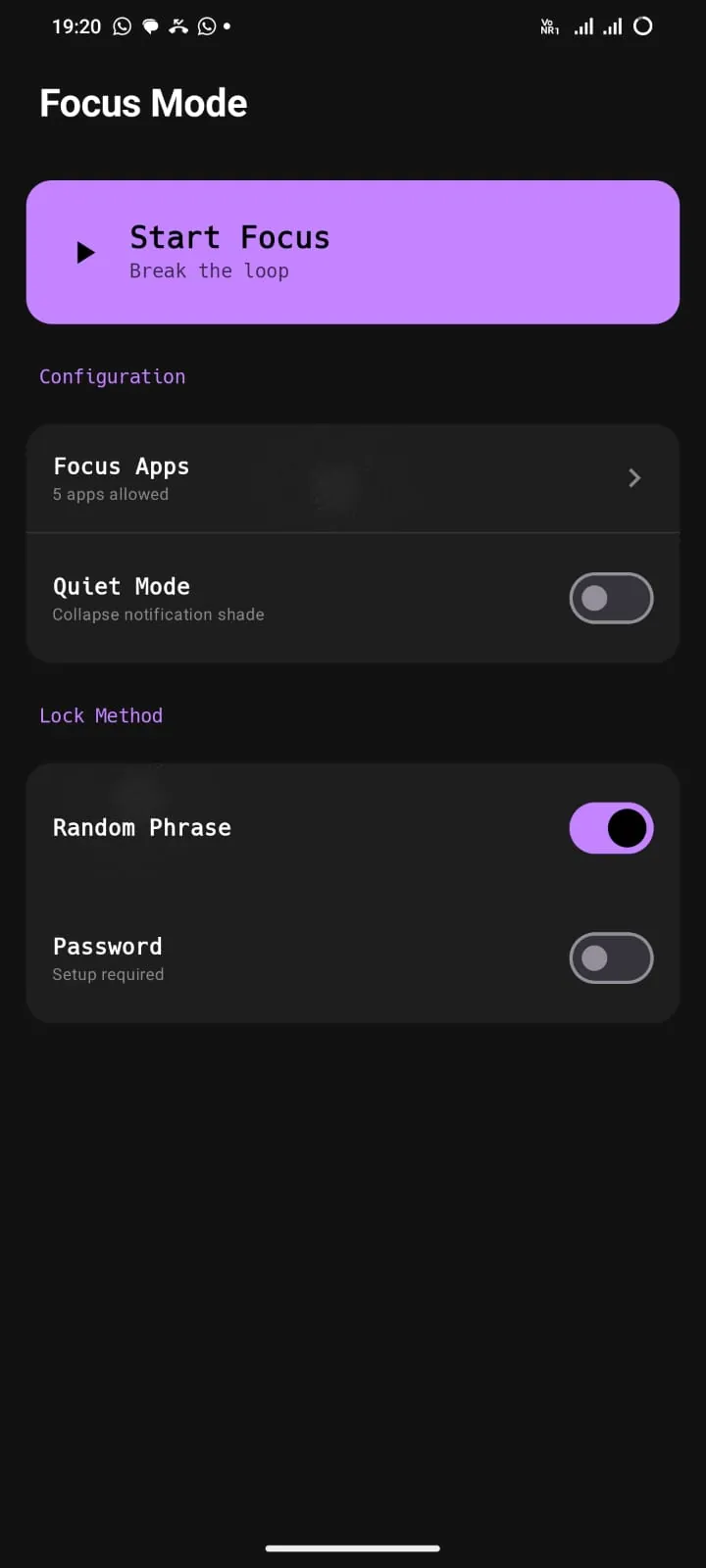
Once you open a distracting app (social media, games, news), you're granted a fixed time window. When that expires, the app is blocked for a mandatory cooldown period. No extensions. No "just once." No bypass.
The brilliance isn't in the timer—it's in the absence of negotiation. Most apps let you snooze, skip, or dismiss. T_Launcher doesn't ask. It enforces.
3. Gesture-Based Navigation
Every action in T_Launcher is mapped to a gesture. Swipe up for apps. Double-tap for search. Long-press for settings. This removes visual clutter while maintaining full functionality.
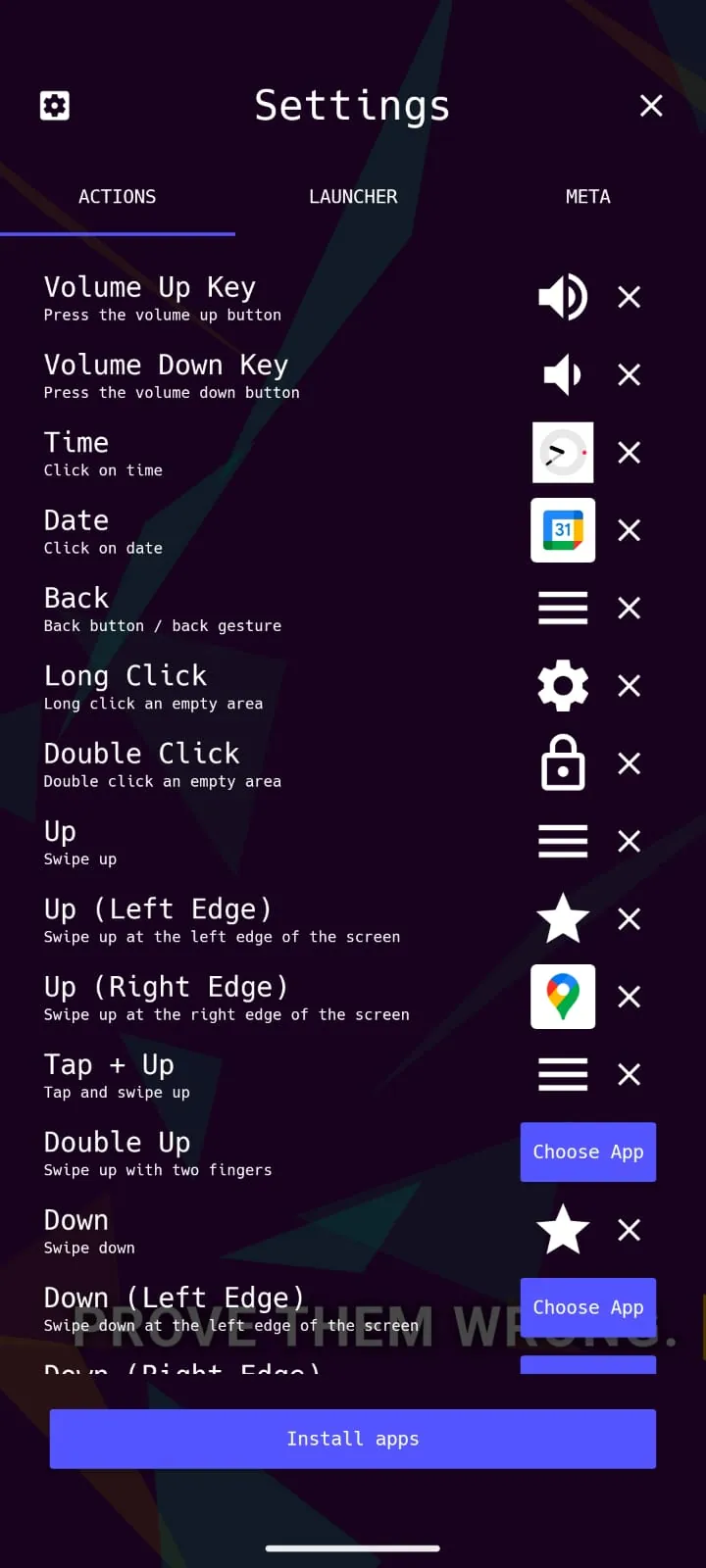
The settings panel allows complete customization of volume keys, swipe directions, and tap patterns. Everything is remappable, but nothing is accidental.
4. Mandatory Breathing Breaks
When you attempt to open a blocked app, you're not shown an error message. You're shown a breathing exercise.
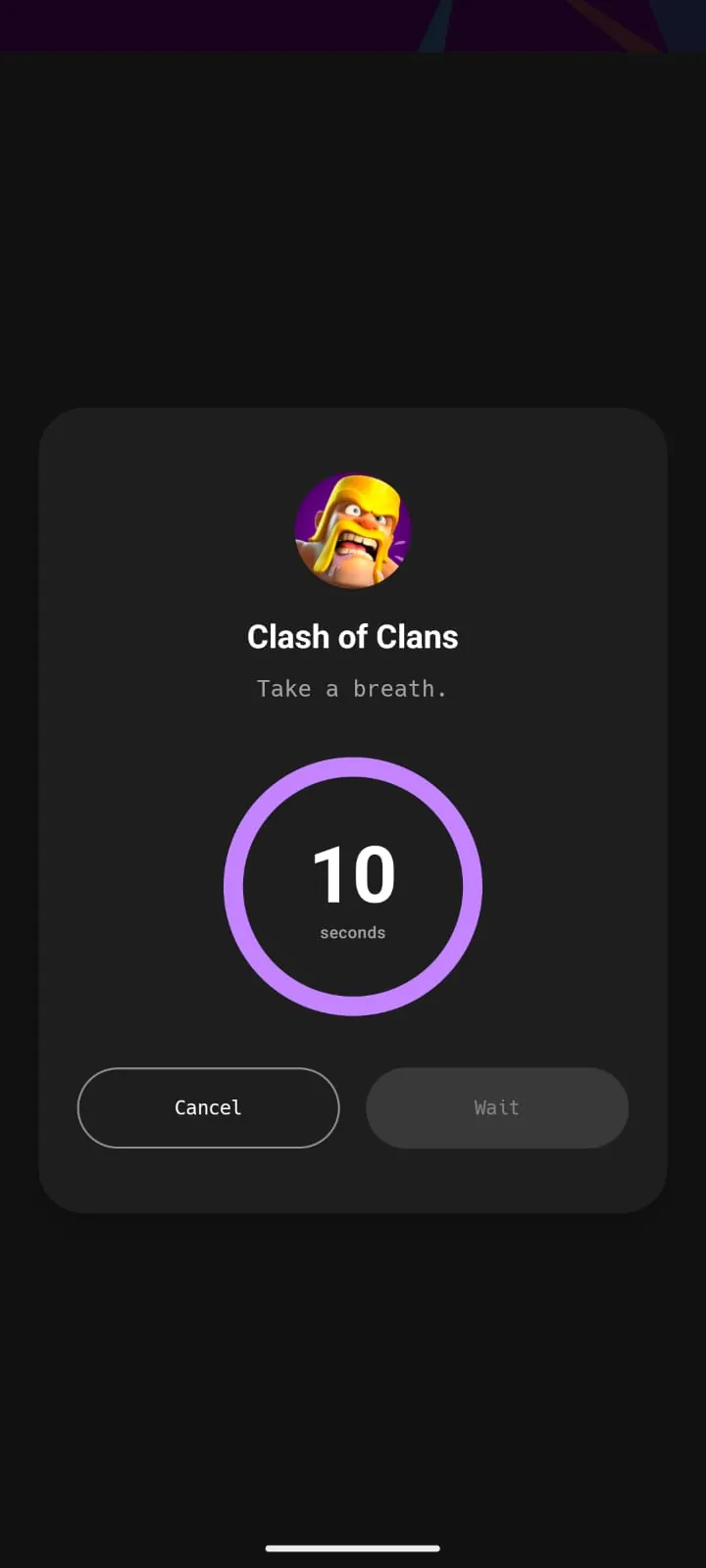
The message is clear: Take a breath. Do you really need this right now?
This isn't punishment—it's pattern interruption. The goal is to break the muscle-memory loop of unlocking → tapping → scrolling.
5. The Dev Panel: Accountability Through Data
For developers and competitive programmers, T_Launcher includes an optional Dev Panel that integrates with LeetCode (and similar platforms) to display your coding activity directly on the home screen.
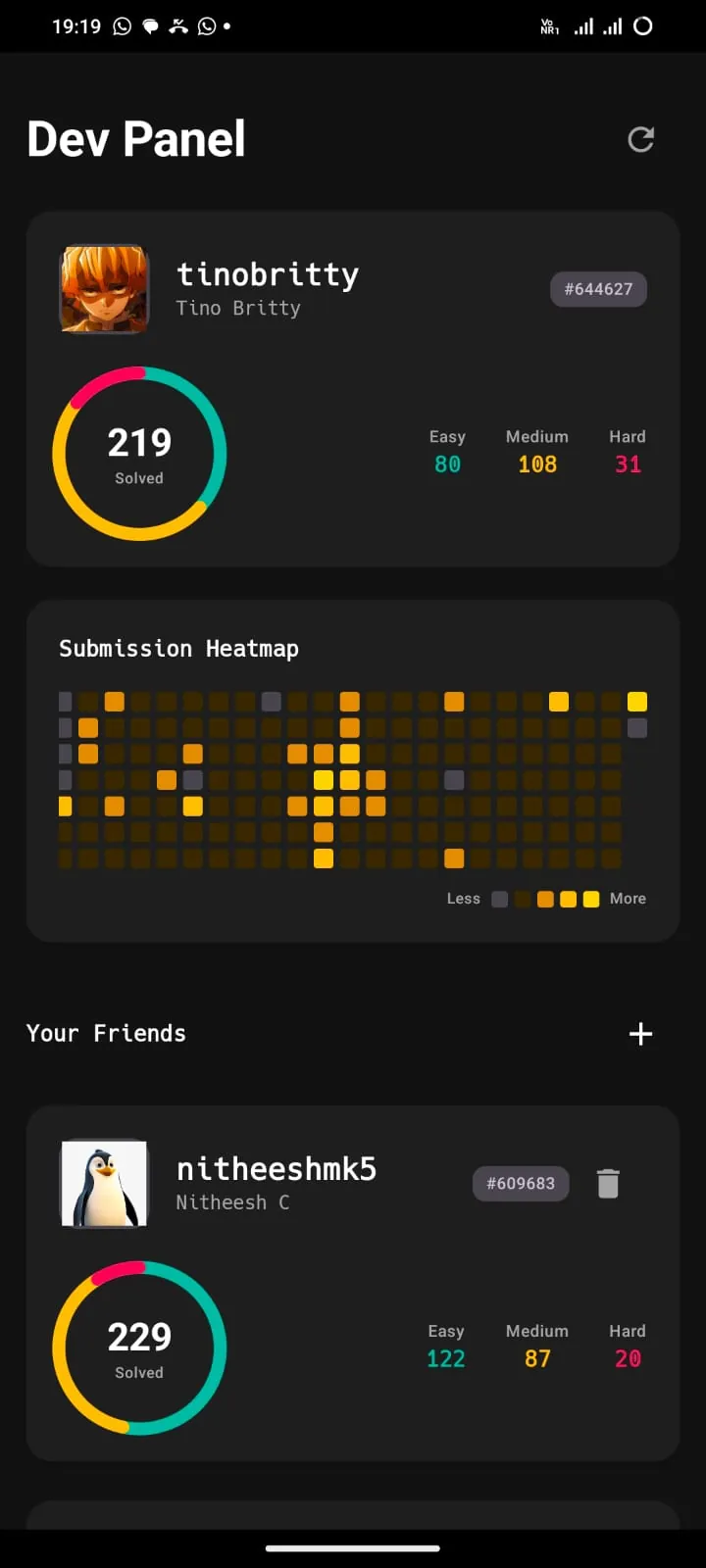
This transforms your home screen from a gateway to distraction into a dashboard of accountability. Instead of seeing colorful app icons, you see:
- Total problems solved (219 in the example)
- Difficulty breakdown (Easy: 80, Medium: 108, Hard: 31)
- GitHub-style submission heatmap
- Friend comparison for competitive motivation
It's a constant reminder: Are you consuming, or are you creating?
Technical Implementation
Reviving and hardening this codebase required more than UI polish. Key challenges included:
State Persistence: Ensuring Focus Mode timers survive app kills, reboots, and system memory cleanups. This required careful use of SharedPreferences and background services.
Efficiency: Stripping away external libraries to keep the APK under 2MB. T_Launcher is lighter than most icon packs.
LeetCode Integration: Building a custom API client that fetches coding stats and renders them on the home screen without using WebView or external dependencies.
Gesture Conflict Resolution: Android's navigation gestures often conflict with custom swipe actions. T_Launcher implements careful touch event handling to coexist with system navigation.
Privacy: Offline by Design
Everything in T_Launcher stays on your device:
- No cloud sync
- No analytics
- No telemetry
- No permissions beyond what's required for launcher functionality
The LeetCode integration is read-only and uses public APIs. Your usage data is yours alone.
Who This Is (and Isn't) For
T_Launcher is for you if:
- You treat your phone as a tool, not a companion
- You value discipline over comfort
- You're comfortable with friction as a feature
- You don't need visual flair or animations
T_Launcher is NOT for you if:
- You want gentle nudges and motivational quotes
- You love customization, themes, and icon packs
- You need a launcher that's "friendly" or forgiving
- You're looking for a Play Store-friendly product
Conclusion: Friction as a Feature
T_Launcher didn't make me more disciplined. It simply made indiscipline more annoying.
The phone still does what I tell it to. It just makes sure I'm intentional about it. And that intentionality—that split second of friction before opening an app—has been worth more than any streak counter or motivational notification.
If you view your phone as a precision instrument that should be picked up, used, and put down—give T_Launcher a try.
Built with Kotlin. Licensed under GPL-3.0. Contributions welcome for those who believe software should serve the user, not the algorithm.
— Tino Britty J