
Overview
BYOP, also referred to as DevfolioX, is a multi-user portfolio generator platform built for practical deployment.

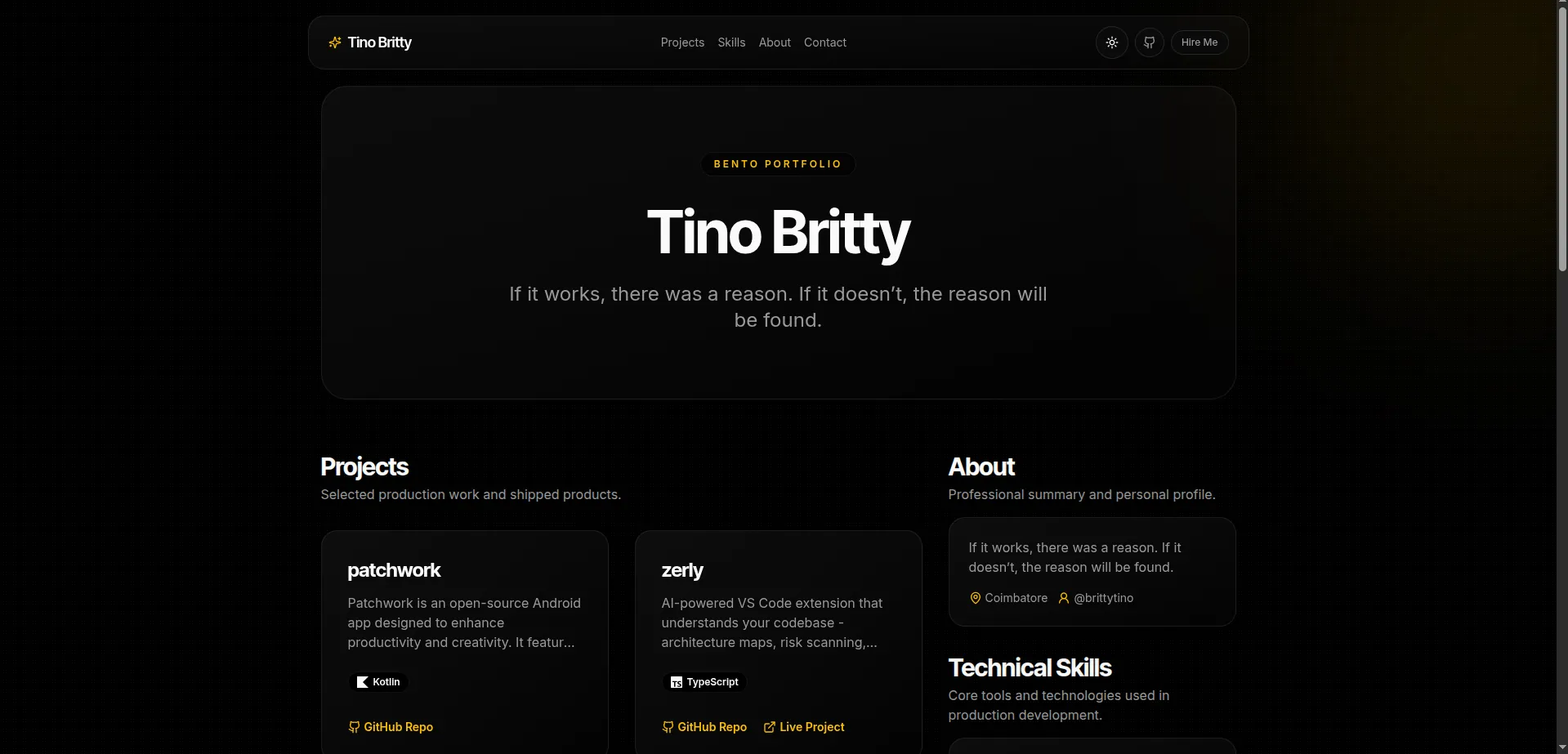
Users authenticate with GitHub, manage portfolio data in a dashboard, and publish to:
The project is designed for free-tier friendly student-scale usage and maintainable production operations.
Core Product Goals
- Enable fast portfolio publishing without custom engineering per user
- Keep auth and data ownership strict and easy to audit
- Support student and early-career scale on low-cost infra
- Maintain clean architecture for contributors
Tech Stack
- Next.js 14+ (App Router)
- TypeScript
- Tailwind CSS with shadcn-style UI components
- Neon PostgreSQL (serverless)
- NextAuth (GitHub OAuth)
- Framer Motion
- Vercel deployment target
Features
- GitHub OAuth-only authentication
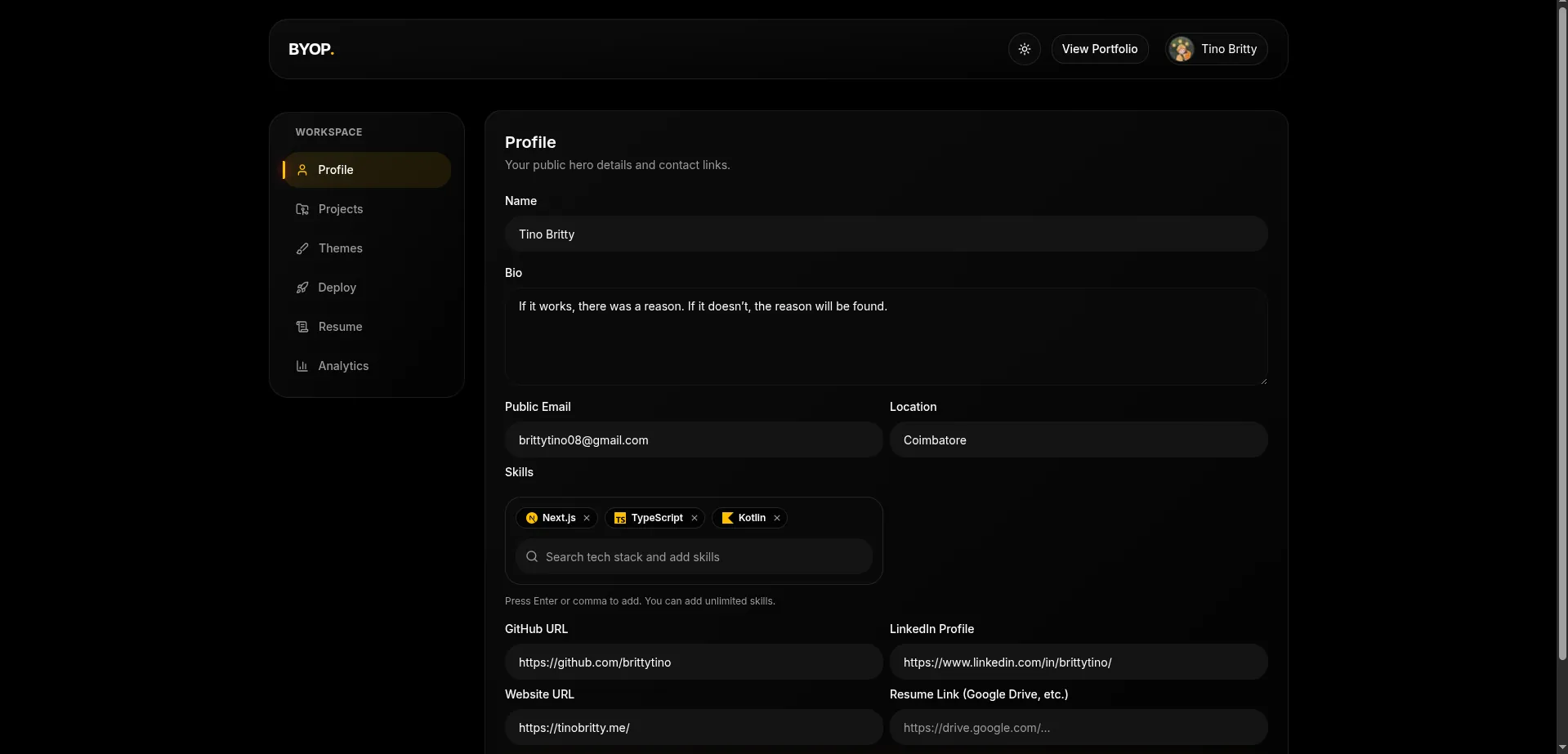
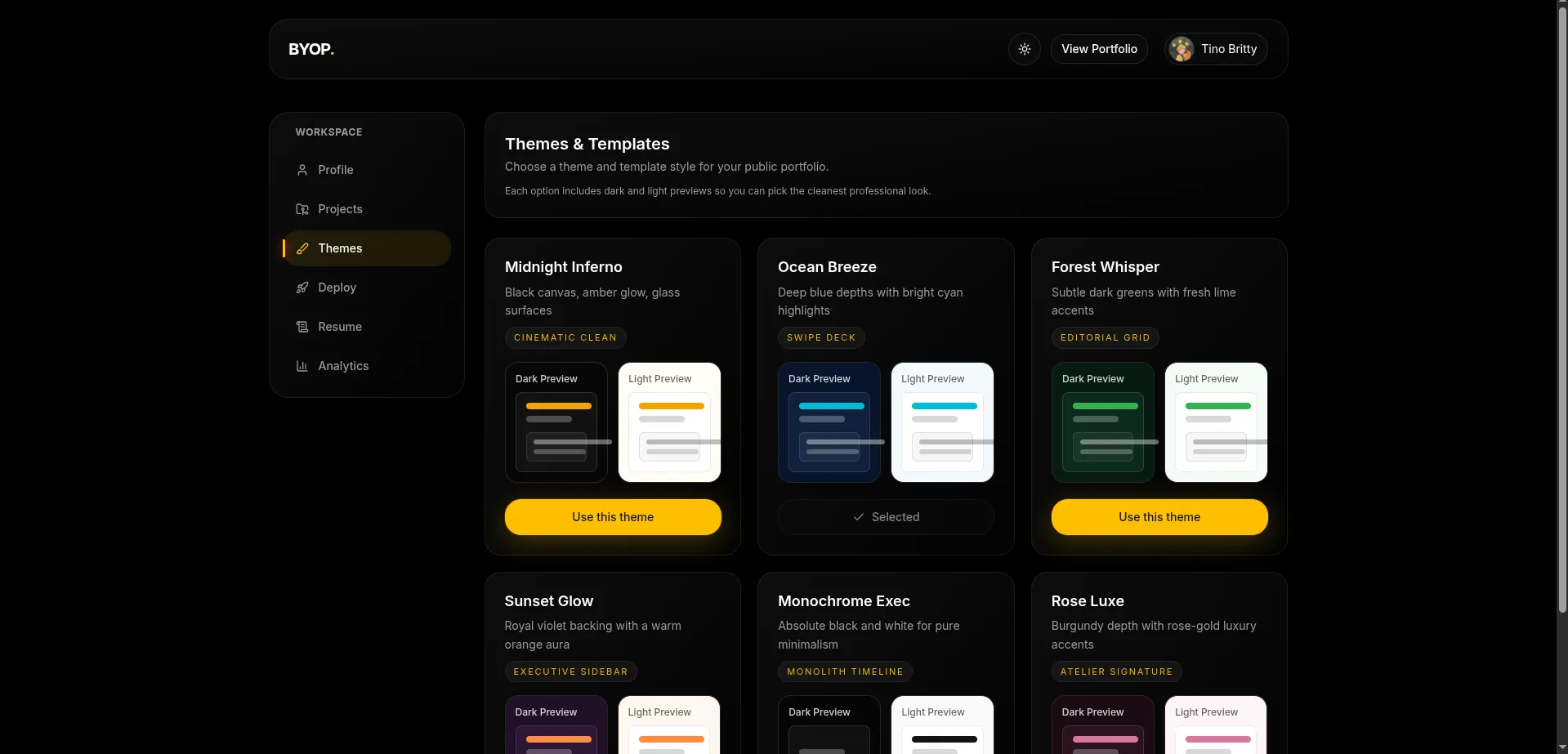
- Dashboard sections:
- Profile
- Projects
- Themes
- Deploy
- Resume
- Analytics
- GitHub repository import flow
- Portfolio publish toggle
- Public portfolio route at
/[username] - Light and dark mode support
- Portfolio view analytics counter
- SEO metadata for public pages
Project Structure
.
├── db/
│   └── schema.sql
├── src/
│   ├── app/
│   │   ├── [username]/
│   │   │   └── page.tsx
│   │   ├── api/
│   │   │   ├── auth/[...nextauth]/route.ts
│   │   │   ├── github/repos/route.ts
│   │   │   └── portfolio/[username]/view/route.ts
│   │   ├── dashboard/
│   │   │   ├── analytics/page.tsx
│   │   │   ├── deploy/page.tsx
│   │   │   ├── profile/page.tsx
│   │   │   ├── projects/page.tsx
│   │   │   ├── resume/page.tsx
│   │   │   ├── themes/page.tsx
│   │   │   ├── layout.tsx
│   │   │   └── page.tsx
│   │   ├── actions.ts
│   │   ├── globals.css
│   │   ├── layout.tsx
│   │   ├── not-found.tsx
│   │   └── page.tsx
│   ├── components/
│   ├── lib/
│   └── types/
├── .env.example
├── middleware.ts
├── next.config.mjs
├── package.json
└── tsconfig.json
Product Screens
Database and Runtime Safety
The platform includes a hardened database approach:
- Singleton Neon client in app runtime
- One-time schema validation before query execution
- Explicit startup/runtime logs when required tables are missing
Required core tables:
usersportfoliosprojects
Additional analytics table:
portfolio_views
Neon Setup and Migrations
- Create Neon project and database.
- Add pooled connection string to
DATABASE_URLin.env.local. - Run setup:
npm run db:setup
npm run db:check
Optional SQL verification:
select table_name
from information_schema.tables
where table_schema = 'public'
order by table_name;
If schema setup is incomplete, auth callback is designed to fail with clear errors and redirect users to a friendly error page.
Environment Variables
Copy .env.example to .env.local and provide:
NEXTAUTH_URLNEXTAUTH_SECRETGITHUB_IDGITHUB_SECRETDATABASE_URL
Local Development
Install dependencies:
npm install
GitHub OAuth local config:
- Homepage URL:
http://localhost:3000 - Callback URL:
http://localhost:3000/api/auth/callback/github
Initialize database:
npm run db:setup
npm run db:check
Start app:
npm run dev
Routes:
- Landing:
http://localhost:3000 - Dashboard:
http://localhost:3000/dashboard - Public portfolio:
http://localhost:3000/[username]
Security Model
- Dashboard routes protected through NextAuth middleware
- Server actions enforce authenticated ownership checks
- Input validation implemented through Zod schemas
- Public route renders only published portfolios
Deployment (Vercel + Neon)
- Push repository to GitHub.
- Import project in Vercel.
- Set environment variables for Development, Preview, and Production:
NEXTAUTH_URLNEXTAUTH_SECRETGITHUB_IDGITHUB_SECRETDATABASE_URL
Important:
- Missing
GITHUB_IDorGITHUB_SECRETbreaks sign-in at runtime. - GitHub OAuth callback URL must exactly match deployed domain.
- Production callback format:
https://your-domain/api/auth/callback/github
Run production schema setup:
npm run db:setup
npm run db:check
Open Source Notes
- Codebase includes ESLint and Prettier configuration
- App is organized by features for contributor clarity
- Pull requests should include at least one manual test scenario
Project reference:
- about/byop-five.vercel.app
License:
- BSD-3-Clause
Summary
BYOP is built to balance product usability with practical operations: strict auth boundaries, clear data ownership, deterministic schema checks, and deployment behavior that remains predictable under free-tier constraints.